
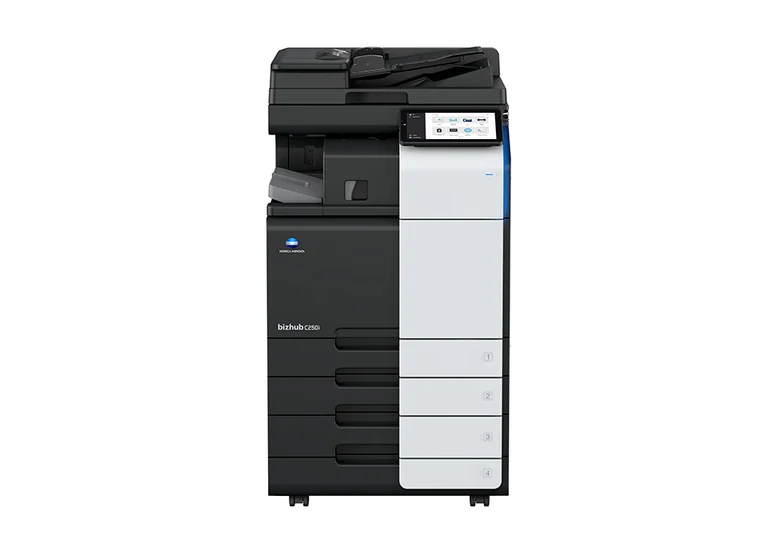
Konica Minolta bizhub C250i
The bizhub C250i prints and copies up to 25 pages per minute on letter paper. It handles 12 × 18 output and can scan both sides in one pass with the optional DF-714 feeder. Check the actual feeder and voltage when pricing a used unit.
Used bizhub C250i prices
- $2,499.00Preowned Konica · a refurbished C250i. Confirm which feeder is included. Checked .
- $3,000.00ABD Office Solutions · a refurbished C250i with two drawers and a stand. Checked .
- $60.00 / monthThe Copier Lady · an advertised lease in Southern California. Ask for the term, page allowance and buyout. Checked .
ABD lists 220–240 V. Konica Minolta documents both 120 V and 220–240 V versions. Get a photo of the exact unit’s electrical label before ordering.
C250i vs. C300i vs. C360i
The C300i is rated five pages per minute faster on letter paper, but it ties the C250i at 15.1 copies per minute on 11 × 17. Choose based on the paper sizes and scan batches your office uses most.
| Model | Letter / tabloid ppm | Buy | Lease / mo. |
|---|---|---|---|
| C250i | 25 / 15.1 | $2,950 | $60 |
| C300i | 30 / 15.1 | $3,150 | $70 |
| C360i | 36 / 18 | $3,350 | $75 |
Prices checked . Confirm the lease term, included pages and buyout with the dealer. The Copier Lady price list · Konica Minolta copy speeds
On equal 48-month terms with identical service and fees, the $15 monthly gap would total $720. Compare the written quotes at the same black-and-white and color volumes before signing.
Check the feeder on the used unit
The three models had the same optional feeders. Ask the dealer for the part number and run a numbered two-sided scan to your approved folder.
- DF-632 reversing feeder
- Turns the sheet over to read the back. Konica Minolta lists up to 37 images per minute for two-sided scans at 300 dpi.
- DF-714 single-pass feeder
- Reads both sides in one pass at up to 160 images per minute at 300 dpi. Worth asking for if you scan full folders regularly.
Ask for dated mono and color meters, the remaining drum and fuser life, and written on-site service terms. If you print 12 × 18, test your stock in Tray 2 or the bypass.
Print and scan specifications
- Letter print and copy speed
- Up to 25 ppm in black or color
- 11 × 17 copy speed
- Up to 15.1 sheets/min
- 12 × 18 paper
- Tray 2 or bypass
- Paper input
- 1,150 sheets standard, up to 6,650 with options
- Document feeder options
- 100-sheet DF-632 reversing or DF-714 single-pass duplex feeder
- Memory and storage
- 8 GB RAM and 256 GB SSD
- Power variants
- 120 V / 12 A / 60 Hz or 220–240 V / 8 A / 50–60 Hz
What to confirm with the dealer
Ask for itemized inside placement, network setup and service. For a lease, get each monthly service minimum and per-page rate in writing, including how 11 × 17 pages are billed.
For a lease, request the term, end-of-lease terms and service charges for the same configuration and print volume. Use the copier quote checklist.
Can I send scans from the panel to Paige?
Confirm which feeder is installed and test a two-sided batch to an approved SMB folder. Paige Folder Monitor can take files from that folder into extraction, review and routing on a Windows PC.
Compare routes to PaigeKonica Minolta SMB Send setup
Explore Paige from Ademero, the company that operates CopierGuide.
Compare the C300i and C360i
- bizhub C300i 30 ppm on letter paper and 15.1 copies per minute on 11 × 17.
- bizhub C360i 36 ppm on letter paper and 18 copies per minute on 11 × 17.
Published reviews and test evidence
U.S. model energy certification
The certification for model C302302 lists 25 images per minute and 0.28 kWh per week in the typical electricity test. Confirm the model code of the used unit you are pricing.
ENERGY STAR record for the C250i (PDF)