
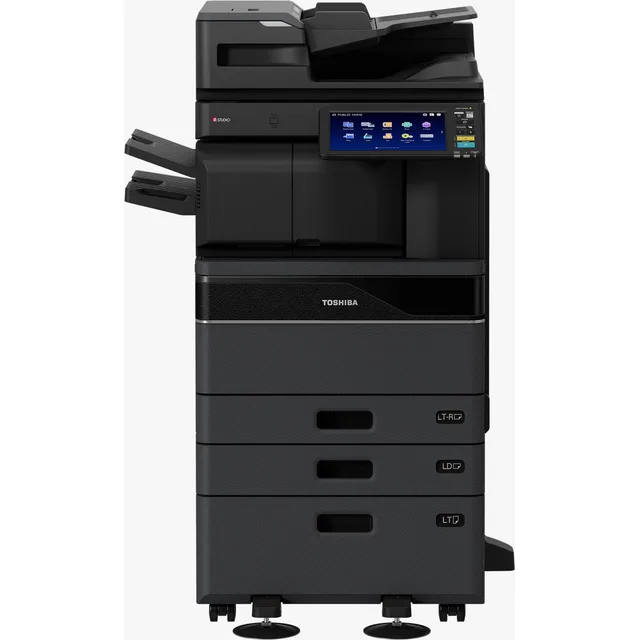
Toshiba e-STUDIO 4528A
The Toshiba e-STUDIO4528A prints monochrome at up to 45 letter pages per minute and handles paper up to 11 × 17 inches. It scans in color, with three optional document feeders.
Price an installed e-STUDIO4528A
Ask for a price that includes the trays and finishing hardware you need, delivery, setup and local service.
Eligible public buyers can use Toshiba’s Sourcewell and Ohio contract examples below to check which parts of the price are included.
Published e-STUDIO4528A contract prices
The Sourcewell catalog lists equipment prices for eligible buyers. Ohio’s state rental schedule bills by the image. Check your purchasing eligibility, the configuration, and separate delivery and service charges before comparing either with a commercial quote.
Sourcewell equipment prices
Base machine $4,976. The catalog lists the feeders separately.
- Reversing feeder (MR3033)
- $734
- Single-pass dual-scan feeder (MR4010)
- $994
- Single-pass dual-scan with double-feed detection (MR4020)
- $1,099
Base machine with the MR4010 feeder comes to $5,970 before other line items.
Ohio state rental example
The state’s Category 6 schedule has a 15,000-image monthly black-and-white minimum.
- 3-year rental (1.174¢ per image)
- $176.10 at the minimum
- 5-year rental (0.981¢ per image)
- $147.15 at the minimum
These figures apply the published base rate to the minimum volume. The schedule lists the dual-scan feeder and other options at additional per-image rates.
Print and scan specifications
- Letter print and copy speed
- Up to 45 ppm in black and white
- Paper input
- 1,200 sheets standard. Up to 5,200 with options.
- MR3033 reversing feeder
- 100 sheets. Rated at up to 73 images per minute.
- MR4010 single-pass feeder
- 300 sheets. Rated at up to 240 images per minute two-sided.
- MR4020 single-pass feeder
- 300 sheets. Adds double-feed detection.
- Scan destinations
- Scan to File, USB, email and e-Filing
What to confirm with the dealer
Check the feeder part number, output tray and finisher before comparing quotes. Ask the dealer to demonstrate a long two-sided scan at your required resolution and show which pages arrived at the destination.
Compare the current Toshiba 4528A and used 4518A
For a lease, request the term, end-of-lease terms and service charges for the same configuration and print volume. Use the copier quote checklist.
Can I send scans from the panel to Paige?
Ask the installer to save a scan-to-folder shortcut on the Toshiba panel and test it with your team’s account. Paige Folder Monitor can pick up the resulting file from an approved Windows folder for processing and routing.
Compare routes to PaigeToshiba’s series scanning tutorial
Explore Paige from Ademero, the company that operates CopierGuide.
Compare a used Toshiba 4518A
- e-STUDIO 4518A Consider it for 45 ppm letter output. Check which feeder is installed.
Published reviews and test evidence
Configuration-specific security certification
The evaluation names the 4528A with the fax unit and SYS V5.2 software. If your procurement specifies this certificate, have the dealer identify the covered configuration and show that it matches the unit you would receive.
Common Criteria certification for the e-STUDIO4528A