
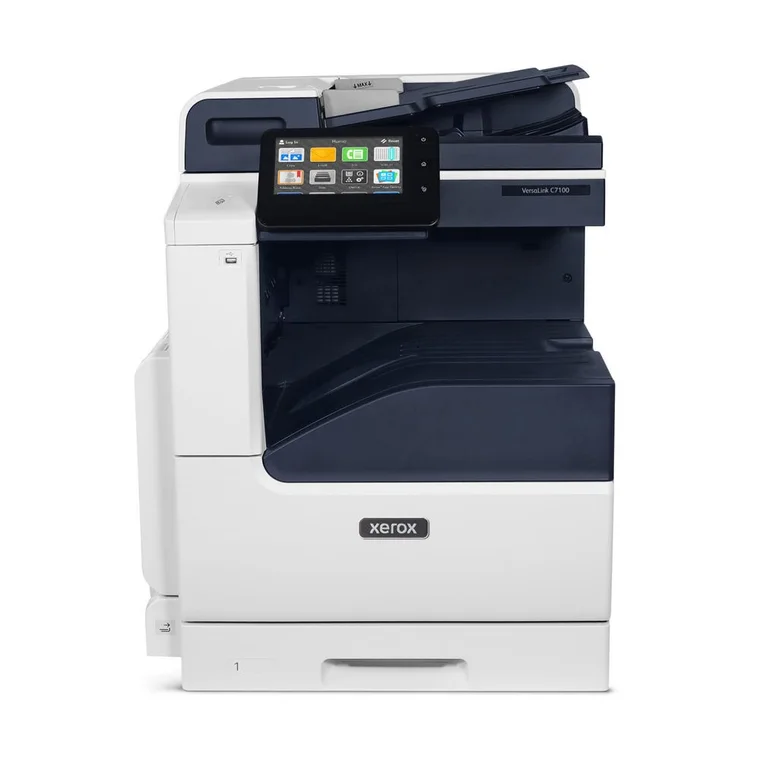
Xerox VersaLink C7130
The Xerox VersaLink C7130 prints up to 30 letter pages per minute and has a 130-sheet single-pass feeder. Xerox rates its two-sided scans at up to 80 images per minute on letter paper.
Published refurbished price
- $3,300.00ABD Office Solutions · a refurbished VersaLink C7130. Checked .
Shop Xerox asks buyers to call for availability and price. For a refurbished unit, confirm the installed trays, freight, setup and local service. Ask for a written warranty.
Is it a fit for your office?
Bring a two-sided packet and an 11 × 17 color print job. Time the complete scan from the panel to the folder. Ask the seller to show which tray feeds your larger paper and how the proposed finisher handles the finished job.
Read or leave a CopierGuide reviewCompare more used copier prices
Print and scan specifications
- Letter print speed
- Up to 30 ppm with long-edge feed
- Standard paper input
- 620 sheets including the bypass
- Largest standard media
- 11 × 17 inches in the standard tray
- Document feeder
- 130 sheets, single-pass duplex
- Duplex scan speed
- Up to 80 ipm in color or black and white on letter paper
- Recommended average print volume
- Up to 7,000 pages per month
- Scan formats
- Searchable PDF, PDF/A, PDF, JPEG and TIFF
- Printer languages
- PCL 5e and PCL 6 standard. Adobe PostScript 3 optional.
What to confirm with the dealer
Confirm the actual tray, stand and finisher part numbers. Have the seller show local service coverage, a media run from the intended tray and a full two-sided scan to your destination.
For a lease, request the term, end-of-lease terms and service charges for the same configuration and print volume. Use the copier quote checklist.
Can I send scans from the panel to Paige?
Xerox lists SMB network scanning and searchable PDF. Scan a two-sided packet to an approved SMB destination, open it as a staff user, and search for text from the last page. Paige Folder Monitor can pick up files from an approved shared folder for extraction and routing.
Compare routes to PaigeCheck native panel requirementsXerox scan destinations and file formats (PDF)
Explore Paige from Ademero, the company that operates CopierGuide.
Estimate your running costs
Get both meter counts and a supplies-status report for the actual machine. Ask what the plan charges for color and 11 × 17, and who pays for a drum or fuser replacement.
Compare the other 30 ppm VersaLink
- VersaLink C7030 Consider it for occasional 11 × 17 color printing and smaller scan jobs.