
Konica Minolta bizhub C450i vs. C451i
Both models print up to 45 letter pages per minute and hold 300 originals in the feeder. A used C450i is worth pricing if it passes your print and scan tests. Consider paying more for the C451i if its newer paper sensor, warranty or service terms make a difference in your office.
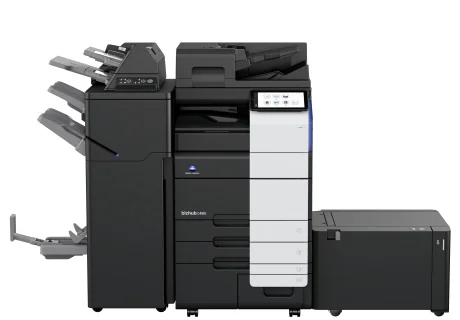
What changes on the C451i?
Konica Minolta identifies the IM-102 as the C450i generation’s paper sensor and the IM-103 as the C451i generation’s. The newer sensor uses more light measurements to distinguish types of paper and is designed to be less affected by paper dust. For plain letter printing the speed rating is the same. If you switch often among plain, recycled and heavier stock, compare the tray settings and print results on both machines. Konica Minolta’s sensor research
| Feature | C450i | C451i |
|---|---|---|
| Letter print speed | 45 ppm | 45 ppm |
| Tabloid print speed | 22 ppm | 22 ppm |
| Two-sided document feeder | 300 sheets | 300 sheets |
| Rated two-sided scan speed | 280 images/min. | 280 images/min. |
| Paper sensor generation | IM-102 | IM-103 |
| Used price at CopierMax | $3,795 | $4,495 |
The manuals use letter-size or A4 originals at 200 dpi for the top scan rating. Time your own job if you scan tabloid originals, use higher resolution or need searchable PDFs. C450i specifications · C451i U.S. brochure
Is a used C451i worth the extra $700?
CopierMax lists a used C450i at $3,795 and a used C451i at $4,495 before selected options. ABD Office Solutions lists a refurbished C450i at $4,000 with two drawers and a stand. Ask for the serial number, current color and black-and-white meter counts, and a written list of what the price includes.
Spread over 36 months, the $700 equipment gap is about $19.44 per month before tax and financing. On identical setups, a $20 monthly service difference would outweigh it. Compare service minimums, included pages, overage rates, parts, labor and technician travel at your address. See a C451i equipment and service example
Ask the dealer to run these jobs
- Print from the trays you’ll use. Run color and black-and-white samples on your letter and tabloid stocks. Verify which drawers accept each size and weight, and whether your stock can print on both sides.
- Scan a batch you handle every day. Scan numbered, two-sided originals to an approved network folder. Check page count, back-side orientation and the 11 × 17 boundaries in the resulting PDF.
- Check who handles the first service visit. Get the response time, covered parts, labor and trip fees in writing. Have IT verify the actual firmware and scan sign-in method before accepting delivery.
Konica Minolta lists SMB 3.0 for the C450i and SMB 3.1 for the C451i. If your IT policy requires a specific SMB version, have IT confirm the firmware and test the actual connection before signing. C450i manual · C451i manual
If staff manually split your scanned packets, try importing the test PDF into Ademero’s CapturePoint 6 on an approved Windows 11 PC. Check whether it separates each document correctly and sends the output to the expected folder. Ademero publishes CopierGuide. Follow the scan-to-folder and PDF import steps
Get both prices for your office
Ask for the same trays, delivery, setup and service coverage on each quote so you can compare the installed costs.
Request C450i and C451i quotes