
Repair or replace a Canon imageRUNNER 2545
The 2545 and 2545i both print up to 45 black-and-white Letter pages per minute and handle 11 × 17. The model suffix matters when you need scan-to-folder or searchable PDFs. Check those functions on the exact unit before paying for repair or replacement.
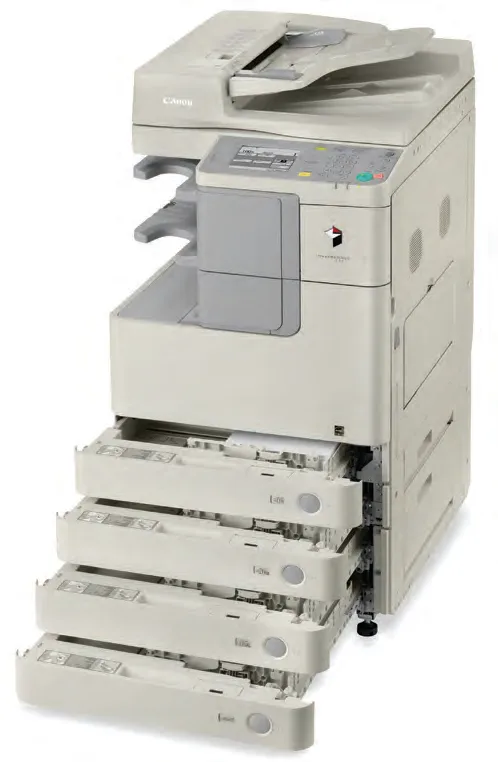
Canon 2545 vs. 2545i
- Print and paper
- Canon rates both at 45 ppm on Letter, 25 ppm on Legal and 22 ppm on 11 × 17. Both have two 550-sheet cassettes, a 100-sheet bypass and automatic two-sided printing.
- Feeder and scan speed
- Canon lists a 100-sheet duplexing feeder and up to 45 black-and-white or 34 color images per minute on Letter at 300 dpi. Time a two-sided job on the machine you plan to use.
- Scan to a destination
- The 2545i includes Color Send and searchable PDF. On a 2545, Color Send Kit-Y1 is optional, and searchable PDF also requires Kit-C1. Ask the seller to send an actual file to your destination.
- Print drivers and fax
- Both include UFR II LT. Canon lists PCL and PostScript emulation as standard on the 2545i and optional on the 2545. Fax is optional on both. Check compatibility with the print queue and operating systems you use.
What does a refurbished Canon 2545 cost?
These are advertised equipment prices checked . Ask each seller to confirm stock, freight and service to your ZIP in writing.
- A Matter of Fax
- $2,188.88 for a refurbished imageRUNNER 2545. Check the listing and freight terms.
- Printers Copiers & More
- $2,225.25 for a refurbished imageRUNNER 2545. Check the listing and freight terms.
- Newer 45 ppm comparison
- The imageFORCE 4145 has a published $5,174.72 NASPO base-unit price with its 45 ppm license for eligible buyers, before separately listed options and service. See the September 2026 contract workbook.
Ask for the used unit’s serial number, dated meter report, installed kits and on-site warranty. Price diagnosis, parts and labor for your current machine. Compare that with delivery, setup, removal and service for a replacement over the same number of months.
Run the same test before you decide
- Print and copy a real job. Send a two-sided Letter job and a short 11 × 17 job from your normal workstation. Rerun the job with the trays and finishing you use.
- Scan 30 numbered two-sided originals. With blank-page removal off, check all 60 sides, page order, readability and delivery time. Confirm the equipment sends to your actual approved folder or inbox.
- Check the handoff. If staff enter fields or sort scans by hand, try the delivered file with Paige from Ademero using approved samples. Ademero operates CopierGuide. Set up the copier-to-Paige test.
Get an itemized price for your site
Ask who serves your ZIP, what they cover and when the equipment will be usable. For a new 4145, specify the exact feeder and 45 ppm license on the proposal.