
Canon imageRUNNER ADVANCE DX C5800 series compared
Buy the speed your print jobs need. The C5840i is rated at 21 ppm on 11 × 17, while the C5870i reaches 35 ppm. All four have a 200-sheet feeder rated at up to 270 images per minute for two-sided Letter scans at 300 dpi. If you need the compact inner stapler, consider the C5840i, C5850i or C5860i.
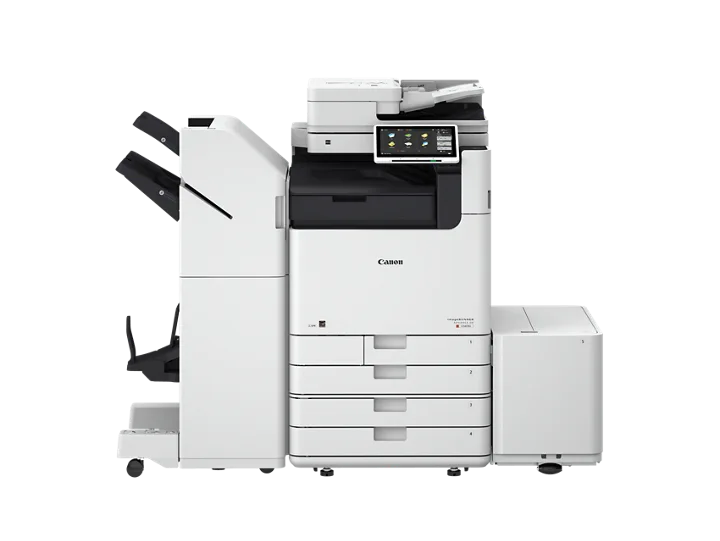
Compare a print batch on all four models
Count printed sides and choose the paper size. The table uses Canon’s rated speeds for black-and-white and color. It estimates continuous run time before warm-up, file processing, paper changes or finishing.
| Model | Letter | 11 × 17 | Run time |
|---|---|---|---|
| C5840i | 40 ppm | 21 ppm | 12:30 |
| C5850i | 50 ppm | 27 ppm | 10:00 |
| C5860i | 60 ppm | 32 ppm | 8:20 |
| C5870i | 70 ppm | 35 ppm | 7:09 |
Run times are shown in minutes and seconds. For daily 12 × 18 or heavy-stock work, have a dealer time a full job using the stock, tray and finishing settings you intend to use.
Compare refurbished listings and past contract prices
The two dealer listings are for refurbished equipment. The April 2026 Sourcewell amounts apply to the listed base units under that schedule for eligible buyers. The newer October equipment list omits these four original base-unit SKUs. Confirm availability and the current price before ordering.
| Model | April 2026 Sourcewell | Refurbished listing |
|---|---|---|
| C5840i3827C002AA | $7,880 | Ask your dealer |
| C5850i3826C002AA | $9,799 | $3,500.00ABD Office Solutions |
| C5860i3825C002AA | $10,661 | Ask your dealer |
| C5870i3824C002AA | $13,349 | $4,511.11A Matter of Fax |
- April 2026 Sourcewell schedule (PDF)
- October 2026 Sourcewell schedule (PDF)
- Canon’s Sourcewell eligibility and contacts
For a fleet, get equipment, installation, included pages and overages on separate lines. A Stone Mountain proposal shows how three C5800 models were priced with a shared print allowance. Calculate that fleet lease at your volume.
Confirm the exact machine before ordering
- Check the finisher and floor space. The C5870i uses external options for stapling. Canon’s configuration diagram pairs the Staple Finisher-AB3 with the Buffer Pass Unit-P2. Ask for a footprint with trays open and verify what fits through your door. Read Canon’s specifications and options (PDF).
- Check the serial number, meter and warranty. Canon offers separate factory-remanufactured C5840i RM and C5860i RM models. A dealer-refurbished listing can have a different parts history and warranty. For a C5870i, the 2021 Buyers Lab award certificate documents its original award. Ask for a print sample and service records from the exact machine on your quote. See Canon’s C5800 RM models.
- Test the panel with a staff account. Scan a mixed, two-sided batch into the shared folder you actually use. Follow the copier demo checklist. If the job also needs extraction and routing, test what happens to the scanned files in Ademero’s Paige.