
Find the HP M776 paper jam by code
On the HP M776 series, 13.B2.A2 and 13.B2.D2 point to Tray 2. The 31.13 codes below point to the feeder that scans originals. Record the full code before following the animation on the printer.
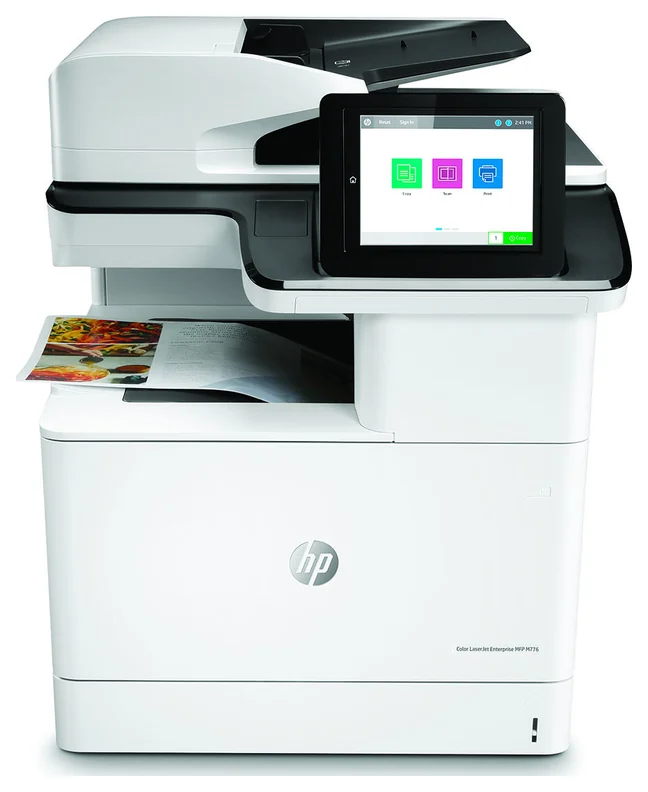
HP M776 jam locations
Use the guide for the area shown on your panel. HP groups some errors by the start of the code, so copy the entire message for service.
| Code | Location | First check |
|---|---|---|
| 13.B2.A1 / 13.B2.D1 | Tray 1, the multipurpose tray | Check the stock in Tray 1 and use the panel animation to follow the rest of the path. HP instructions for tray 1 |
| 13.B2.A2 / 13.B2.D2 | Tray 2, the main cassette | Look at the stack and guides. HP’s procedure includes the feed rollers behind Tray 2 and the right side of the machine. HP instructions for tray 2 |
| 31.13.00 / 31.13.01 / 31.13.13 / 31.13.14 | Automatic document feeder on top | Check the feeder cover and the original documents. Use a clean sheet with no staples or clips for the first retest. HP instructions for document feeder |
| 13.D3 family | Two-sided print path | Follow the panel and HP’s duplex instructions. The procedure can take you to the fuser area. HP instructions for duplex |
| 13.B9 and 13.FF families | Fuser and right-side doors | Wait for the fuser to cool. Keep hands off the transfer roller and fuser rollers. HP instructions for fuser |
| 13.E1 family | Standard output bin | Use HP’s output-bin procedure. The upper-right door is part of that check. HP instructions for output |
If 13.A3 or 13.A4 appears, check the installed trays. HP has separate steps for the two-tray 550-sheet accessory and other 550-sheet configurations.
Isolate a jam that comes back
After the machine clears the jam using HP’s instructions, use a short test with plain stock before retrying the whole job. Change one thing at a time so a technician can reproduce it.
- Tray. Print one single-sided sheet from the original tray. Repeat from another tray that supports the same stock. Write down which tray and code recur.
- Two-sided printing. Use the same file and tray to print one two-sided sheet. Note whether the error appears as the first side exits or on the return pass.
- Document feeding. On a scan job, scan one clean original to an approved destination from the glass, then try the feeder. Keep the destination and resolution the same for both tests.
If the fuser is hot or the jam requires parts removal beyond the manual’s operator procedure, stop and contact the service provider. A code identifies a path to inspect. Confirm the cause before you buy a kit.
Get a repair quote with the full code
Send the exact model suffix, the full panel message, tray number, paper size and weight, and the job that repeats the problem. Ask whether diagnosis, travel, parts and labor are covered by the current agreement.