
Kyocera TASKalfa 3554ci vs. MZ3501ci
Both print color at 35 pages per minute and can scan two-sided originals at up to 200 images per minute with the right feeder. A 3554ci can cost less up front. Compare the actual unit’s meter, warranty and service terms with the installed price of a new MZ3501ci.
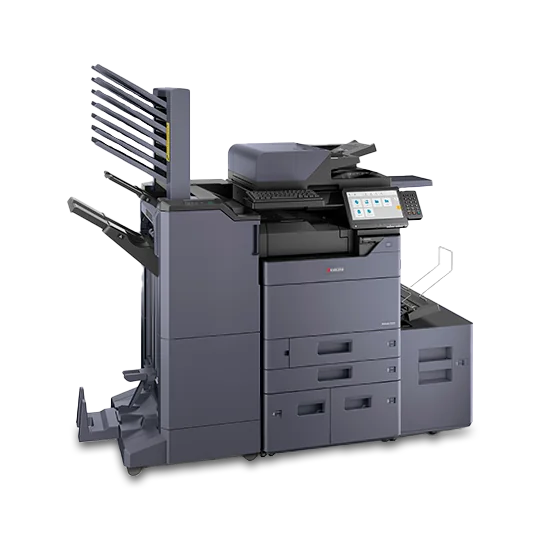
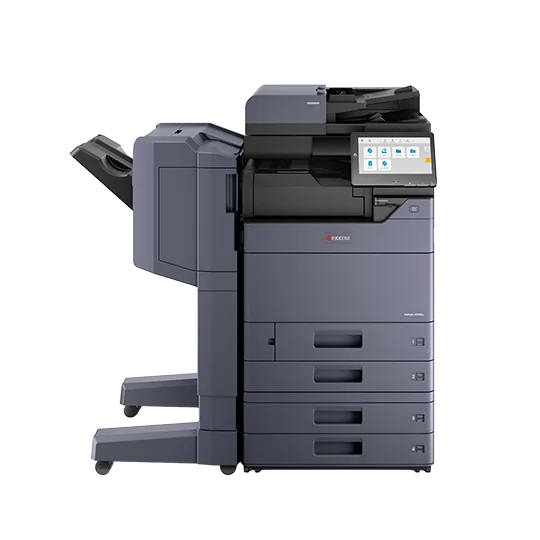
What do the two TASKalfas cost?
3554ci · seller-certified pre-owned
$2,899–$3,799
ASR listed 166,641 pages on the lowest-priced unit and 106,911 on the highest-priced unit. Its 90-day parts-and-labor warranty and $295 local installation apply to its listings. Confirm the serial number, feeder part number and coverage for your ZIP.
ASR inventory, meters and termsMZ3501ci · new dealer listing
$14,082
ABD lists new equipment for buyers in Los Angeles, Orange, Riverside and San Bernardino counties. Ask for equipment, options, delivery, setup and service as separate line items.
ABD’s listing and service areaAt 3,000 black-and-white and 500 color impressions a month, ASR’s published post-warranty plan totals $165.00 per month for service and supplies. The plan lists a $100 base plus 1¢ per black-and-white and 7¢ per color impression. See the seller’s service terms.
For eligible public buyers, NASPO’s November 2026 schedule lists the MZ3501ci at $3,364.97 for base equipment and marks the 3554ci end of life on the schedule. Check your state addendum and service option. See the public contract and worked service example.
What actually changed?
| Specification | 3554ci | MZ3501ci |
|---|---|---|
| Letter printing, black or color | 35 ppm | 35 ppm |
| Legal / 11 × 17 printing | 21 / 17 ppm | 21 / 17 ppm |
| Standard paper input | 1,150 sheets | 1,150 sheets |
| First print, black / color | 5.9 / 7.7 seconds or less | 5.9 / 7.7 seconds or less |
| Power-on warmup, rated | 18 seconds or less | 9.7 seconds or less |
| Standard storage | 32 GB SSD and 320 GB HDD | 256 GB SSD |
| Maximum monthly duty cycle | 125,000 pages | 100,000 pages |
Use actual monthly meter readings when sizing the copier. The duty-cycle figure is Kyocera’s rated maximum. Test your network, access controls and any print or scan apps that staff will use on the quoted configuration.
Which feeder is included in the quote?
Both models list the same four optional feeders. A batch of 100 two-sided originals contains 200 images. Dividing that count by the published speed gives the rated scan time below, before reloads, image processing and file delivery.
| Feeder | Capacity and duplex speed | Rated scan time |
|---|---|---|
| DP-7140 | 50 sheets · 16 ipm | 12 min 30 sec, plus reload |
| DP-7150 | 140 sheets · 48 ipm | About 4 min 10 sec |
| DP-7160 or DP-7170 | 320 sheets · 200 ipm | About 1 min |
The DP-7160 and DP-7170 scan both sides in one pass. Ask about the DP-7170 if you need staple and multi-feed detection. Time the whole job until the file reaches your destination.
What to check in a copier demo
DataMaster issued five-star certificates for the 3554ci and the MZ3501ci. Its public descriptions name the 2554ci and MZ2501ci as the respective units used for the full lab work. Use the findings to pick demo jobs and test the machine you’ll receive.
- Print a two-sided file with fine text. Compare alignment front to back and check for recurring marks on the pre-owned unit.
- Scan an invoice with small text over a logo. Check which version your OCR reads best. Compare Text mode and high compression at the same resolution.
- Send the scan using a staff account. Confirm the network folder or email destination and check that every page arrived. For extraction and routing, an approved Windows folder can feed Paige Folder Monitor. Ademero operates CopierGuide.