
Lexmark CS410dn vs. CX410de
Lexmark’s CS410dn prints, while the CX410de also copies, scans and faxes. Both are rated up to 32 black-and-white or color pages per minute on Letter. If a listing says “CS410de,” check the label before buying parts or downloading a driver.
Find the exact Lexmark model
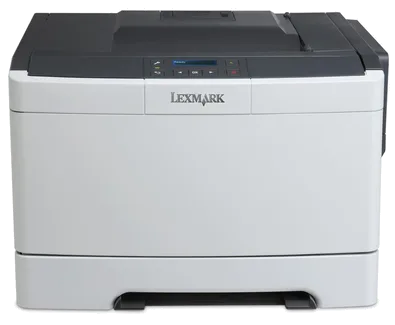
- CS410dn color printer
- Lexmark’s CS410 brochure lists the CS410n, CS410dn and CS410dtn. The CS410dn has a 2.4-inch color display and automatic two-sided printing. Lexmark CS410dn specifications · CS410 model list (PDF)
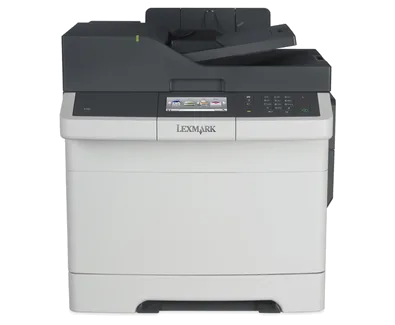
- CX410de color multifunction printer
- The CX410de has a 4.3-inch touchscreen and a 50-sheet document feeder. Use the copy or scan menu to test an original if you’re evaluating a used unit. Lexmark CX410de specifications and manual
Select the full model and your operating system on Lexmark’s download page. Print a test page from your actual workstation. For a CX410de, also check that scanning works through the app or destination your team uses. Lexmark drivers and downloads
What should replace it?
Both options below are rated up to 35 black-and-white or color Letter pages per minute. The prices are advertised U.S. equipment prices checked . Confirm stock, delivery, supplies and service before ordering.
- CS531dw 50M0020
- A print-only color laser with Wi-Fi and automatic two-sided printing. $778.26 at Zones. Check the price · Lexmark specifications.
- CX532adwe 50M7040
- A color multifunction model with a 100-sheet single-pass feeder for two-sided scanning. $1,099.00 at Printer Showcase. Check the price · Lexmark specifications.
Buy for the work you do today. If a separate scanner already handles intake, price the print-only model first. If staff need walk-up copies or a shared scan destination, test the multifunction machine. Ask the seller to list the starter toner and replacement part numbers. Compare Lexmark cartridge codes and costs.
Test the scan your team will receive
Scan ten numbered two-sided Letter sheets with blank-page removal off. Check that all 20 sides arrive in order, then repeat with the paper mix your team uses. If staff still key fields or sort files by hand, try those PDFs in CapturePoint 6 from Ademero on a Windows workstation. Ademero operates CopierGuide. Run a Windows capture test.
Price the setup your staff needs
Include your Letter and Legal workloads, monthly volume and the scan destination, if needed. Ask for equipment, toner and service on separate lines.