
Lexmark MX710de vs. MX711de
The MX710de prints up to 63 Letter pages per minute in black and white. The MX711de reaches 70 and has a larger touchscreen. Both have a 150-sheet single-pass feeder rated for up to 140 scanned Letter sides per minute.
Print and scan specifications
| Specification | 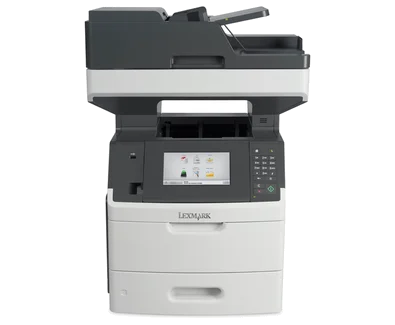 MX710de24T7401 · Discontinued | 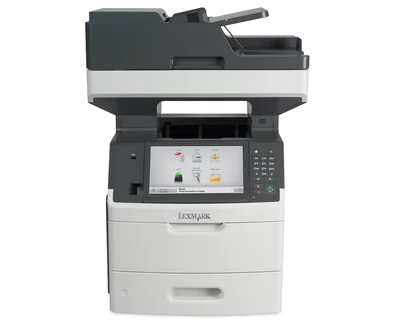 MX711de24T7404 · Discontinued | 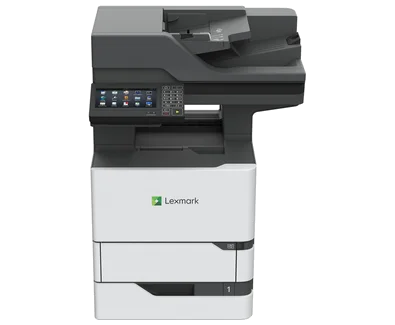 MX722ade25B0002 · Later model |
|---|---|---|---|
| Black-and-white print speed on Letter | Up to 63 ppm | Up to 70 ppm | Up to 70 ppm |
| Single-pass feeder | 150 sheets | 150 sheets | 200 sheets |
| Two-sided scan speed on Letter | Up to 140 sides per minute | Up to 140 sides per minute | Up to 150 sides per minute |
| Touchscreen | 7-inch | 10-inch class | 7-inch |
| Recommended monthly print volume | 5,000–75,000 pages | 5,000–100,000 pages | 5,000–100,000 pages |
| Manufacturer specs | MX710de product page | MX711de product page | MX722ade product page |
All three include automatic two-sided printing, a 550-sheet drawer and a 100-sheet multipurpose feeder. They scan color originals and print in black and white. Use the full model suffix and part number before buying trays or ordering service. Read the MX710 and MX711 series specifications (PDF).
Two U.S. equipment prices
FastPrinters listed these prices on . Confirm availability and the total delivered price. Lexmark marks both models discontinued, including the MX710de that the seller lists as new.
- MX710deListed as new
- $2,507.14 before any quoted freight, setup or tax. Check the MX710de listing.
- MX711deListed as refurbished
- $995.00 before any quoted freight, setup or tax. Check the MX711de listing.
Ask the seller what the refurbishment replaced and which components the warranty covers. Get the installed toner level, meter, shipping cost and service coverage for your ZIP in writing. For the MX722ade, ask for current availability and a quote for part 25B0002.
Four checks before you buy used
- Match the serial number and meter. Request the device’s settings and usage reports for the exact unit being shipped.
- Print from each installed tray. Run a two-sided Letter packet and a Legal job. Look for repeated marks and check that the quoted trays feed the paper you use.
- Scan 25 numbered sheets on both sides. Check for all 50 sides in order at your actual destination. Test with blank-page removal off, then try your normal settings.
- Check your operating system. Find the exact model through Lexmark drivers and downloads. Test printing and scanning from the workstations and accounts your team uses.
If staff still retype or sort the documents after the scan, use a sample batch to test Ademero’s Paige. Its Folder Monitor can process PDFs after they reach a configured folder. Ademero operates CopierGuide. See the shared-folder setup.
Compare repair and replacement costs
Give the dealer your model, monthly page count, scan destination and installation ZIP. Ask for separate amounts for equipment, setup and ongoing service.