
Sharp BP-51C vs. BP-71C
Choose the print speed first, then price the feeder. Sharp’s Essentials and Advanced models can both print 31, 36 or 45 letter pages per minute. The Advanced models hold three times as many originals, read both sides in one pass, and include Adobe PostScript 3.
Compare quotes for both 31 ppm models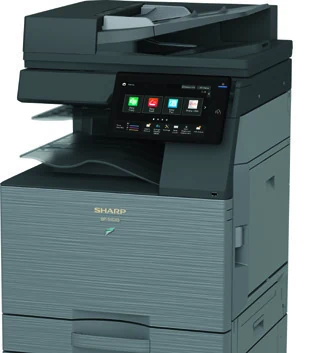
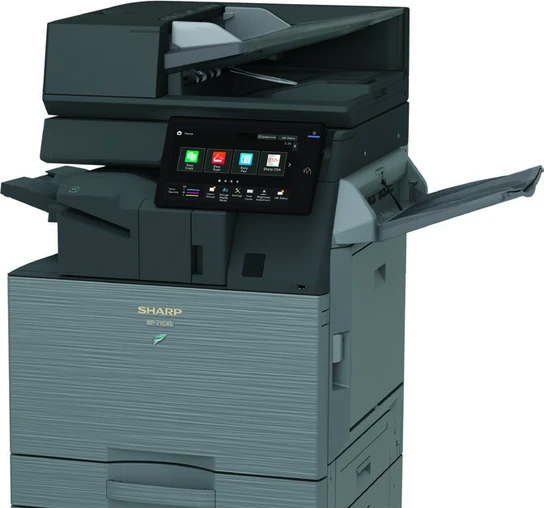
What changes when you buy the Advanced model?
| Specification | BP-51C Essentials | BP-71C Advanced |
|---|---|---|
| Letter print speeds | 26, 31, 36 and 45 ppm | 31, 36 and 45 ppm |
| Document feeder | 100 sheets, reversing | 300 sheets, single pass |
| One-sided network scans | 80 sheets/min | 150 sheets/min |
| Two-sided network scans | 25 images/min | 300 images/min |
| Two-sided original weight | 50–105 gsm | 50–220 gsm with the applicable settings |
| Searchable PDF | OCR Expansion Kit required | Listed in the user manual |
| Adobe PostScript 3 | Optional | Standard |
A stack of 150 two-sided sheets makes 300 images. At Sharp’s rated network scan speeds, the Essentials feeder takes about 12 minutes and one reload. The Advanced feeder takes about 1 minute with one load. These times exclude operator prep, reload time, OCR and file transfer. Sharp tests standard letter or A4 originals at 200 or 300 dpi with automatic color detection off. Check the user manual’s network scanner specifications.
Purchase and lease examples for seven models
The July 2026 NASPO schedule lists the Advanced model at $1,356.56 more in base equipment at each matched print speed. For the 31 ppm pair, the listed 60-month equipment lease differs by $34.26 a month. Compare your dealer’s installed price and the time someone actually spends on each batch.
| Model | Letter speed | Base purchase | 60-month FMV lease |
|---|---|---|---|
| BP-51C26 | 26 ppm | $3,526.40 | $89.07/mo |
| BP-51C31 | 31 ppm | $3,953.12 | $99.85/mo |
| BP-71C31 | 31 ppm | $5,309.68 | $134.11/mo |
| BP-51C36 | 36 ppm | $5,083.07 | $128.39/mo |
| BP-71C36 | 36 ppm | $6,439.63 | $162.65/mo |
| BP-51C45 | 45 ppm | $6,213.02 | $156.93/mo |
| BP-71C45 | 45 ppm | $7,569.58 | $191.19/mo |
These are base equipment prices for eligible buyers. Ask what trays, finishing, OCR, delivery and service cost at your ZIP. Check eligibility and the end-of-lease charges on the quote. Open the price workbook Read the contract buying guide.
Give both dealers the same scan job
- Bring your busiest batch with a mix of one-sided and two-sided pages and the paper weights you use.
- Confirm the exact feeder, available OCR format and required options on the machine being quoted. Run the same test at the same resolution and with the same destination.
- Measure the time your staff spends loading, sorting and correcting files. Check that pages are in order, readable and searchable in the system where your team works.
If the scans need naming, indexing, routing or approval, send the same batch to Ademero’s Paige from an approved network folder. Ask for a panel demo on the exact device and firmware for an embedded installation. Ademero publishes CopierGuide.