
Sharp MX-5071 vs. MX-5071S vs. MX-M5071
The MX-5071 and MX-5071S both print color. The MX-M5071 prints in black and white, and it can still scan in color. Check the full model number on the machine before comparing prices.
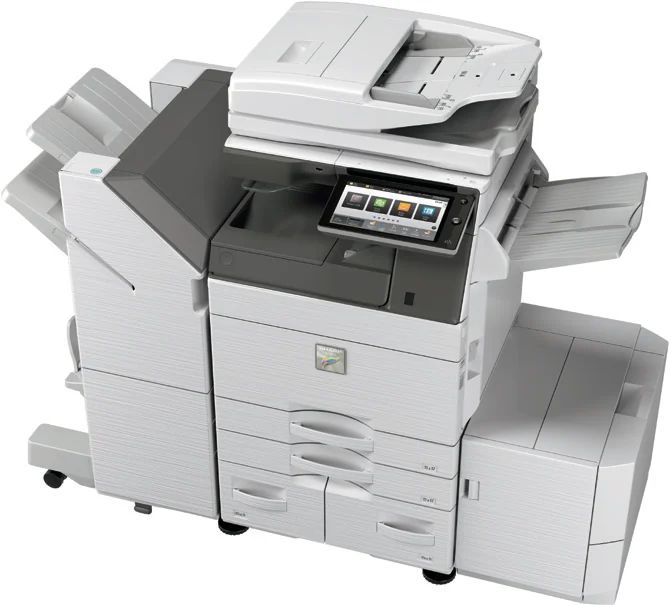
The differences that affect your purchase
All four accept originals up to 11 × 17 and list output up to 12 × 18. Ask the dealer which installed tray will feed your stock. If the copier will connect over Wi-Fi, verify the adapter on the actual machine, especially for the MX-5071S.
- Letter printing
- 50 ppm, color or B&W
- Two-sided scan
- 150 sheets · up to 220 ipm
- Wi-Fi
- Standard
- U.S. receptacle
- 20 A
MX-5071S
Sharp spec sheet- Letter printing
- 50 ppm, color or B&W
- Two-sided scan
- 150 sheets · up to 220 ipm
- Wi-Fi
- Optional MX-EB18 adapter
- U.S. receptacle
- 20 A
MX-M5071
Sharp spec sheet- Letter printing
- 50 ppm, B&W only
- Two-sided scan
- 150 sheets · up to 220 ipm
- Wi-Fi
- Standard
- U.S. receptacle
- 15 A
BP-71C55
Sharp spec sheet- Letter printing
- 55 ppm, color or B&W
- Two-sided scan
- 300 sheets · up to 300 ipm
- Wi-Fi
- Optional
- U.S. receptacle
- 20 A
What the posted prices include
Used or refurbished asking prices depend on the specific unit. The BP-71C55 figure comes from a public contract for eligible buyers. Ask for the installed price and local service separately.
MX-5071
Refurbished asking priceRequest quote$4,500.00 from ABD Office Solutions for a refurbished MX-5071 with two trays and a stand.
Copierbay listed a used unit at $4,999.00. Check the tray and finisher configuration.
MX-5071S
Refurbished asking priceRequest quote$3,088.88 from A Matter of Fax for a refurbished listing. Confirm stock, toner, warranty and freight before relying on the price.
MX-M5071
Refurbished asking priceRequest quote$6,000.00 from ABD Office Solutions for a refurbished MX-M5071 with two trays and a stand.
BP-71C55
Public contract equipment priceRequest quote$8,472.92 from NASPO ValuePoint price workbook for the base unit under agreement 188627 for eligible buyers. Installation, accessories and service can change the total.
What to check on the actual machine
- Match the nameplate and meter report. Verify the exact model and serial number. On the color machines, get separate color and black-and-white counts. Ask for the service record and the remaining life of the drums and fuser.
- Bring the paper and finishing job you use. Print a sample from the quoted tray. If you need saddle-stitch booklets, ask to see your booklet assembled on the quoted finisher.
- Scan to the real destination. Verify that a staff user can open the complete two-sided file. For invoice capture, ask the dealer and Ademero to demonstrate the Sharp panel or folder route to Paige using the quoted firmware and your intake settings. Ademero operates CopierGuide.