
Xerox DocuMate 4790 vs. Epson DS-32000
Keep a working DocuMate 4790 if it handles your batches and your scan software still runs on an approved PC. If you’re replacing it, the DS-32000 is faster at 300 dpi on A4 landscape sheets. It holds 60 A3 sheets at a time, so test how often you’ll need to reload.
Three ways to buy a wide-format scanner
U.S. equipment prices checked . Confirm stock, shipping and warranty terms with the seller.
| Buying detail | 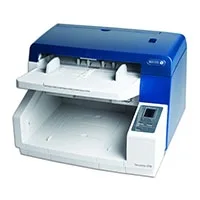 Xerox DocuMate 4790 | 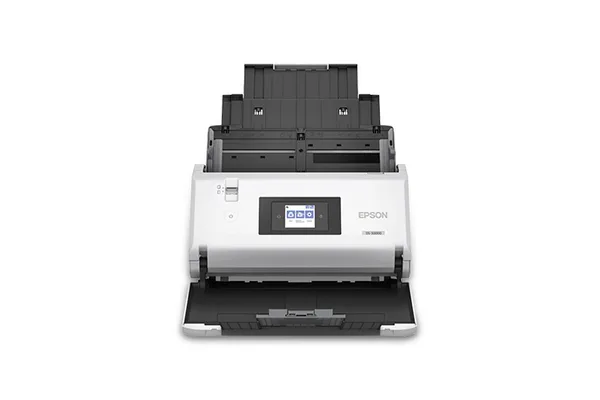 Epson DS-30000 | 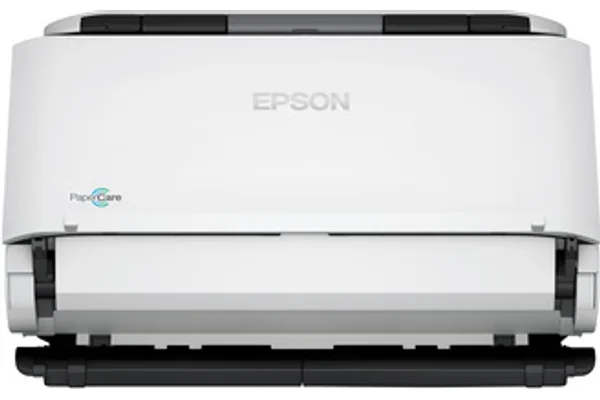 Epson DS-32000 |
|---|---|---|---|
| Posted price | $599 refurbished | $2,499 new | $3,499 new |
| Feeder capacity | 200 sheets of 20 lb stock per Xerox. Test the actual wide load. | 120 A4 or Letter, 60 A3 at 80 g/m² | 120 A4 or Letter, 60 A3 at 80 g/m² in Normal Mode |
| 300 dpi, A4 landscape | 70 sheets or 140 sides per minute | 70 sheets or 140 sides per minute | 90 sheets or 180 sides per minute |
| Published daily rating | 15,000 sheets | 30,000 sheets peak | 40,000 sheets peak |
| Connection | USB 2.0 | USB 3.0 | USB 3.0 |
| Listed coverage | One-year replacement warranty from the refurbisher | Epson three-year limited warranty | Epson three-year limited warranty |
On a 1,200-sheet A4 batch, the rated feed speeds imply about 17 minutes for the Xerox and DS-30000 and 13 minutes 20 seconds for the DS-32000. At full rated capacity, that’s six loads on the Xerox and ten on either Epson. Time the whole job with your own batch, including loading, jams, OCR and file export. Xerox datasheet · Epson paper and feeder specifications
Will the DocuMate 4790 work on Windows 11?
Xerox’s archived manual covers Windows 7, 8/8.1 and 10. Before buying the Xerox for Windows 11, have the seller demonstrate the scanner on your approved Windows build with your actual capture application and the required TWAIN, ISIS or WIA driver. Epson publishes Windows 11 downloads for the DS-32000. Xerox user guide · Epson Windows 11 downloads
- Prove the load. Bring numbered two-sided letter and wide sheets. Feed one full load of your widest stock at 300 dpi. Count both sides with blank-page removal off and check that exports arrive in order.
- Check the refurbished unit. Ask what was replaced, what the guarantee covers and whether the needed scan software is included. Check stock for the Xerox 4790ROLL-KIT if you’ll rely on this unit for daily work.
- Test a delicate batch separately. Epson specifies 10 A3 sheets at 80 g/m² in the DS-32000’s Delicate Mode. Measure operator time if delicate stock accounts for much of the work.
Follow the finished PDF to its destination
Once the scanner can save to an approved Windows folder, Paige from Ademero can pick up matching files through Folder Monitor and route them to a scan job. Test whether it separates the documents correctly, captures the fields you need and exports them to the final system. Ademero operates CopierGuide.