
Oregon copier lease costs
Oregon State University lists the Ricoh IM C4510 at $175.00 a month on a 60-month campus lease. At 4,000 black-and-white and 1,000 color prints, the campus schedule adds $310.00 in usage for $485.00 a month on those two lines. Use the calculator to see what a different workload costs.
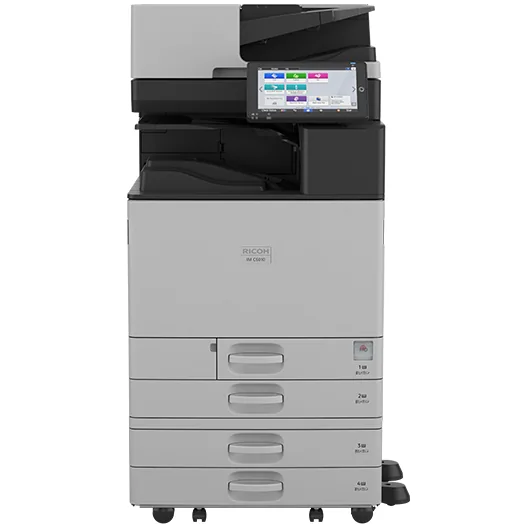
Equipment, prints and meter fees
Enter your monthly print counts. The university’s published rates add 4¢ for each black-and-white print and 15¢ for each color print. Its campus program charges another $15.00 per month for a device that requires manual meter collection.
Worked example
| Copier | Lease | Monthly total |
|---|---|---|
| Ricoh IM C2510 | $105.00 | $415.00 |
| Ricoh IM C3510 | $182.00 | $492.00 |
| Ricoh IM C4510 | $175.00 | $485.00 |
| Ricoh IM C6010 | $225.00 | $535.00 |
Every row includes $310.00 for prints. Optional accessories and paper are outside this estimate.
Request an Oregon copier lease quoteThese are Oregon State department rates. The university lists different average workloads for each model, from 5,000 prints per month for the IM C2510 to 15,000 for the IM C6010. Its terms call for a review when usage consistently exceeds the listed average. Check the workload that your own dealer will put in writing.
Read Oregon State’s color lease schedule · Check campus service and return terms
What Portland Public Schools pays per print
The district publishes rates by model for its 2024–2029 copier and printer program. The table shows the usage charge on three color devices, with equipment payments and other fees outside the calculation.
| Device | B&W | Color | Usage |
|---|---|---|---|
| Sharp BP-70C45 | 0.83¢ | 3.50¢ | $68.20 |
| Sharp BP-C535WD | 0.88¢ | 3.50¢ | $70.20 |
| HP X55745DN | 1.38¢ | 5.00¢ | $105.20 |
Ask each dealer for both a fixed payment and a meter schedule for the same configuration. Compare included prints, color overages, on-site service, and the rate for 11 × 17 sheets. Check the district’s published rates.
Compare the two Sharp models’ paper sizes, feeders and lease examples.
Get quotes you can compare
- Price the exact configuration. List trays, finishing, installation, network setup and any need to remove an old copier. Ask who handles repair at the installation ZIP.
- Test the bill at two volumes. Give each dealer the same typical month and busy month. Get service minimums, toner coverage, and end-of-lease charges on separate lines.
- Demonstrate a scan from the panel. Use a two-sided sample and open the result at the receiving folder. If invoice fields need to flow into another system, you can use Ademero’s Paige to test extraction from the scanned file. Ademero publishes CopierGuide.