
Find a Ricoh copier dealer
Start with Ricoh U.S. sales or a dealer that publishes an office near you. Ask who installs and services the exact IM or IM C model at your ZIP, and how your contract counts large sheets.
Sales, service and support contacts
Sales and local coverage
Choose Sales Inquiry and Printing & Scanning Devices. Ask which Ricoh office or dealer can sell and service your configuration at the installation ZIP.
800-637-4264Contact Ricoh U.S. salesService and supplies
If Ricoh holds your service agreement, MyRicoh handles service requests, meter reads and covered supplies. If a dealer holds it, use the dispatch number on your agreement.
Open MyRicohDrivers for an existing copier
Search Ricoh U.S. support by the full model. For a used copier, check your operating system and installed scan features before buying.
Find Ricoh drivers and downloads
Published Ricoh sales and service offices
Office addresses and numbers checked . Call with the exact model and installation ZIP to confirm what the branch sells and services.
Publishes Ricoh among its printer and copier brands and lists offices in Sioux Falls, Rapid City and other cities. Ask which branch serves your site.
Publishes Ricoh equipment and a Mount Laurel office. If you are in Ocean County or near Toms River, call to confirm service and delivery for the exact ZIP.
Ricoh rates for eligible public buyers
NASPO master agreement 187846. Check your state’s participating addendum and purchasing rules before using these rates.
The November 2026 Group A Service-Supplies sheet lists these zero-base-charge rates with original Ricoh toner, parts and labor, without staples. The same sheet counts 11 × 17 impressions as two clicks and lists separate rural and remote adjustments.
| Model | Service per click |
|---|---|
| IM 6010Black and white | 0.65¢ |
| IM C6010Color | 5.06¢ |
| IM C3010Color | 5.48¢ |
At 4,500 letter and 500 tabloid black-and-white impressions a month, the IM 6010 example is 5,500 clicks or $35.75 in service. Equipment, location adjustments and any other charges are separate.
Request a quote for your exact configuration
Choose a model or send your requirements if you are still comparing. Include the installation ZIP, your monthly print volume and the largest sheet you print or scan.
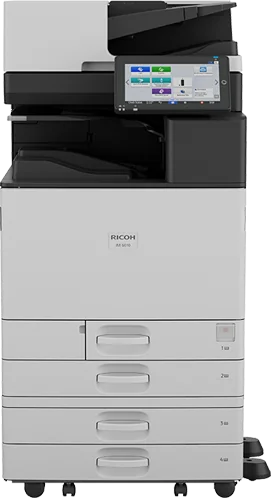
Ricoh IM 6010
60 ppm black and white, with 12 × 18 from Tray 2 or the bypass. Ask for the finishing and scan configuration in writing.
Price this modelRicoh IM C6010
60 ppm color with a 220-sheet duplex feeder. Ask for black-and-white and color rates, the monthly minimum and how the meter handles a small color logo.
Price this model
Three checks before you sign
- Who will dispatch a technician?
- Get the service company’s name and coverage for every installation ZIP. Ask whether the response time means a callback or an on-site arrival.
- Which charges go on each bill?
- Get the equipment, inside delivery, network setup, service minimum and per-impression rates separately. Ask how each plan bills one color logo, both sides of a sheet and tabloid output.
- Will our scan reach its destination?
- Bring a two-sided invoice or form. Have the dealer sign in at the panel and show that the file or its extracted data reaches your actual folder or application.
If the workflow needs to extract invoice fields or route a document, ask the dealer to test the handoff to software such as Ademero’s Paige. Test the app or folder route on the exact firmware and configuration.
Compare copier-to-Paige scan routes