
Ricoh IM 4000 vs. IM 5000 vs. IM 6000
The IM 4000, IM 5000 and IM 6000 print at 40, 50 and 60 letter pages per minute. All three use a 220-sheet single-pass feeder rated for up to 240 images per minute in duplex. Choose by print volume and finishing needs. If you need the compact SR3250 internal stapler, start with the IM 4000 or IM 5000.
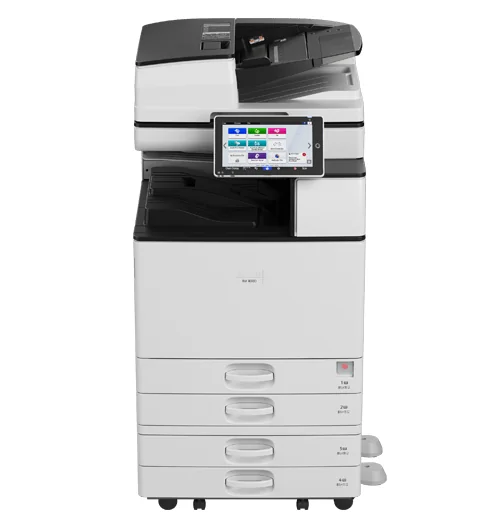 IM 4000
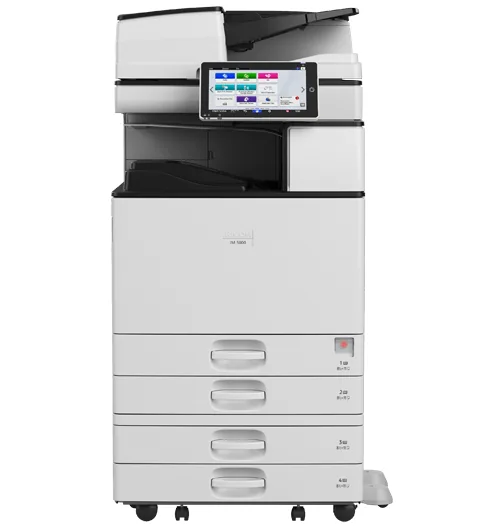 IM 5000
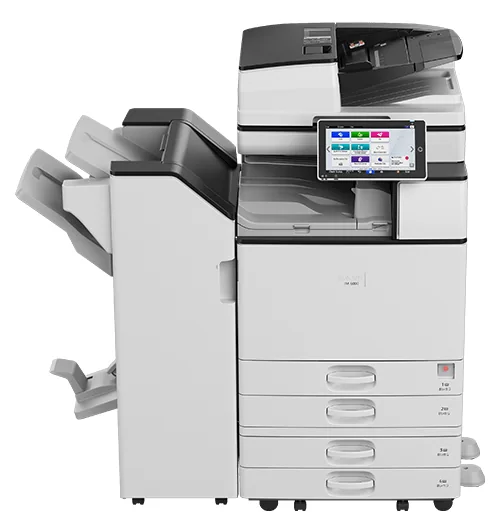 IM 6000
Compare print volume and finishing
| Specification | IM 4000 | IM 5000 | IM 6000 |
|---|---|---|---|
| Letter print speed | 40 ppm | 50 ppm | 60 ppm |
| Original equipment code | 418826 | 418828 | 418830 |
| Recommended monthly impressions | 7,000–15,000 | 10,000–20,000 | 15,000–30,000 |
| Optional internal stapler | SR3250 supported | SR3250 supported | Use a compatible external finisher |
| Single-pass duplex scanning | 220-sheet feeder. Up to 240 image sides per minute in black and white or color. | ||
| Standard paper input | 1,200 sheets across two drawers and the bypass. Supports 11 × 17. | ||
The configurator lists a 50,000-impression maximum monthly volume on each model. Use the recommended range for regular workload planning. If scans are what delay you, time a batch to its destination before paying for a faster print engine. Ricoh’s specification sheet lists the scanner and media details.
Published prices for remanufactured units
Ricoh’s November 2026 NASPO Group A workbook lists these GreenLine bundles. The amounts apply the published 65% base-unit discount to the bundle list prices. Confirm contract eligibility, stock, configuration, delivery and support before ordering.
- IM 4000 GreenLine
- $3,480.75 contract equipment example, calculated from the $9,945.00 bundle list price.
- IM 5000 GreenLine
- $4,096.75 contract equipment example, calculated from the $11,705.00 bundle list price.
- IM 6000 GreenLine
- $5,139.75 contract equipment example, calculated from the $14,685.00 bundle list price.
Ricoh describes GreenLine as its own remanufacturing program. For a dealer-refurbished machine, ask for the specific meter reading, replaced parts and written labor and parts coverage. Compare a documented IM 4000 lease with a purchase at your volume.
Count your printed sides and the billed clicks
The workbook’s zero-base plan counts each 11 × 17 side as two clicks. It lists 0.6572¢ per click for the IM 4000 and 0.65¢ for the two faster models. Rates cover OEM toner, parts and labor. Add staples and any location surcharge from your quote separately.
14,000 printed sides · 16,000 billed clicks per month
- IM 4000
- $105.15Estimated monthly serviceWithin Ricoh’s range
- IM 5000
- $104.00Estimated monthly serviceWithin Ricoh’s range
- IM 6000
- $104.00Estimated monthly serviceBelow Ricoh’s range
Count both printed sides of a duplex sheet. Enter physical printed sides in the calculator. Use billed clicks when calculating the invoice, and discuss physical printing volume when sizing the copier.
Check the exact unit before delivery
- Print and finish a real 11 × 17 set. The IM 6000 cannot use the SR3250. Price its external finisher, any required bridge and the extra floor space together.
- Verify the service meter. Ask the seller to show how the counter changes after a duplex ledger sheet. Confirm what your agreement bills.
- Send a two-sided scan to your destination. Test under a staff login, check page order and verify access. Download the scan test.
If your organization requires a specific Common Criteria configuration, the 2023 Canadian evaluation lists these models with firmware version JE-1.10-H. Ask IT or the dealer to verify the delivered version and the certification status your procurement requires.
For a workflow that extracts invoice fields from the scans, an approved SMB folder can feed Ademero’s Paige Folder Monitor on Windows. Ademero operates CopierGuide. See Paige document capture.