
Ricoh IM C4510 vs. IM C6010 vs. IM C7010
Start with the 45 ppm IM C4510 when scanning drives the purchase. All three have the same rated duplex scan speed. Pay for the 60 or 70 ppm engine if long print runs hold up your team and a demo shows enough time saved to justify the price.
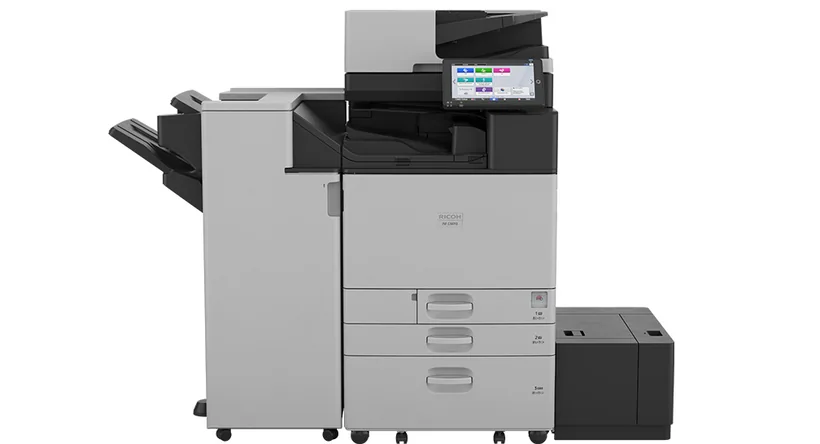
What changes when you move up to 60 or 70 ppm?
The print engine and finishing choices change. Each model has a 220-sheet single-pass feeder rated at up to 150 images per minute one-sided or 300 two-sided. All three take 12 × 18 paper in Tray 2 and hold 1,200 sheets with standard input, expandable to 4,850.
| Feature | IM C4510 | IM C6010 | IM C7010 |
|---|---|---|---|
| Letter print speed | 45 ppm | 60 ppm | 70 ppm |
| First color copy | 5.2 seconds | 3.8 seconds | 3.7 seconds |
| 600 printed sides at rated speed | 13 min 20 sec | 10 min | About 8 min 34 sec |
| Base depth | 27.6 in. | 27.6 in. | 28.5 in. |
| SH3090 internal shift tray | Optional | Optional | Unavailable |
Calculated at continuous rated letter speed and excludes warmup, job processing and finishing. Read the Ricoh USA specification sheet (PDF).
What do the Ricoh IM C4510 and IM C6010 cost?
Check the condition and options before comparing prices. Used listings are asking prices checked November 24, 2026. Confirm the meter count, freight, setup and warranty for the specific machine.
- IM C4510
- $4,999.00 used at Prestige Office Solutions.
- IM C6010
- $5,795.00 used at CopierMax, and $5,799.00 used at Prestige Office Solutions.
Cleveland County, Oklahoma listed $12,176.26 for a proposed new IM C6010 purchase in August 2026. The county listed the service contract separately.
- IM C7010
- Request an installed price with the specific finisher and service plan you need.
For purchase or lease comparisons, have each dealer use the same term, monthly color and black-and-white volumes, accessories and service coverage.
Put these three jobs in your dealer demo
Print your largest finished job
Bring the actual PDF and stock. Time the run from pressing Print to picking up the final set. The IM C4510 alone offers the SR3310 compact internal stapler in this group. If you need offset stacks with the IM C7010, have the dealer show how the proposed finisher will do it without the SH3090.
Scan a full two-sided batch
A batch of 220 two-sided sheets can produce 440 images on any of the three machines. Use representative originals to see how much time scanning, processing and delivery take together. If the copier must create searchable PDFs itself, Ricoh lists the optional Type M52 OCR unit. Search for a phrase in the delivered file to verify. Use the copier scan test.
Check the installed footprint and supplies
Measure the route from the loading door and make room for the chosen finisher and doors to open. Get the tray and finisher part numbers in writing. For service, ask which toner, drums, fuser work and technician visits the quoted rate covers.
Also comparing print technologies? Compare the IM C6010 with Epson’s AM-C4000 enterprise inkjet.