
Xerox AltaLink C8155 vs. C8255
Both print up to 55 letter pages per minute. The newer C8255 has a faster two-sided scanner, while a refurbished C8155 can cost less upfront. Ask which installed machine can deliver your scan jobs and what each will cost to service.
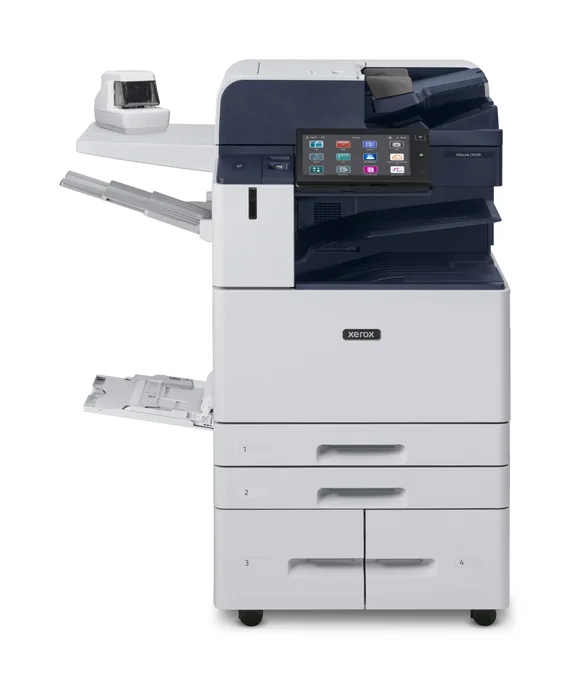
What does each refurbished AltaLink cost?
Both ranges come from Doc-U-Pro Office Solutions in Houston. They are advertised prices for refurbished equipment. Ask for delivery, installed accessories and service at your ZIP.
Xerox AltaLink C8155
$4,499–$6,199
30-day standard warranty, with a 90-day option.
See the dealer’s C8155 listingXerox AltaLink C8255
$5,499–$7,499
30-day standard warranty, with a 90-day option.
See the dealer’s C8255 listingFor eligible public buyers, Xerox’s November 2026 NASPO schedule lists $11,004 for C8255H2 base equipment. Get an installed price for the trays, finisher and setup you need. Xerox Group A equipment price list (XLSX)
Xerox’s October 2024 proposal to Quartzsite listed a new C8255 at $125.20 per month for 60 months as part of a two-device bid. It listed 0.4¢ per black-and-white copy and 3.5¢ per color copy. At 8,000 black-and-white and 1,000 color copies, that is $192.20 per month at the proposal’s rates before tax and options. The proposed booklet finisher added $32.96 per month. Quartzsite town council packet, Xerox pricing summary (PDF)
Will the C8255 scan faster or handle bigger sheets?
- Single-pass feeder capacity
- 130 sheets on each
- Rated two-sided scan speed
- C8155 up to 141 ipm
C8255 up to 161 ipm - Rated one-sided scan speed
- Up to 82 ppm on each
- Maximum listed scan area
- 11 × 17 inches or A3
Both can print 12 × 18 from Tray 2. Bring documents in the largest size you need to scan too. At Xerox’s rated two-sided speeds, feeding 100 double-sided sheets takes about 11 fewer seconds on the C8255. Time from the first panel tap to a usable file to see how much difference it makes in your office. Xerox C8100 specifications · Xerox C8200 specifications
Xerox lists limited use of preinstalled redaction, summarizing and handwriting conversion apps on the C8200 series. Ask the dealer to show the features and current licensing on the unit you are considering. Xerox embedded apps FAQ
Open the full specification comparisonWhen does the cheaper copier cost more to own?
Use the same print volume and coverage for both quotes. Enter installed prices and monthly service bills at that volume. The starting amounts are illustrative. The totals exclude financing, tax, resale and cost increases.
Example ownership comparison
- C8155 over 36 months
- $11,480.00
- C8255 over 36 months
- $11,400.00
C8255 costs $80.00 less over this period.
With these service rates, the higher-priced machine first costs the same or less by month 34.
Run the same job on both machines
- Print a two-sided 12 × 18 job from the quoted tray. Run the largest set you need through the proposed finisher.
- Use the same color, resolution, file format and duplex settings. Time from the first panel tap until the complete file can be opened in your destination.
- For a used unit, get its black-and-white and color meters, drum and fuser status, and service coverage in writing. Ask which firmware and scan apps the dealer will support.
If the output needs field extraction or routing, test the complete path. Both Xerox spec sheets list SMB scanning. Paige can take files from an approved Windows folder into a scan job. Check the extracted fields and final export before accepting the copier. Ademero publishes CopierGuide. Run a copier-to-Paige pilot