
Ricoh IM 6010 vs. IM C6010 vs. IM C6010SD
The IM 6010 prints in black and white. The IM C6010 and IM C6010SD print in color. Choose the SD feeder if you frequently scan cards, carbonless forms or larger stacks. For ordinary paper, the standard C6010 has the higher rated duplex scan speed.
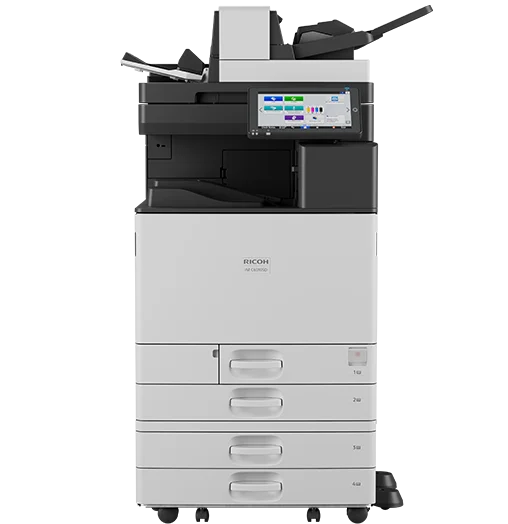
What does the C or SD change?
All three print at a rated 60 pages per minute and can capture color scans. When asking for pricing, copy the entire model name from the label or quote. The C identifies color printing on these models and SD identifies the straight-path feeder.
IM 6010
- Print output
- Black and white
- Feeder capacity
- 220 sheets
- Rated duplex scan
- 300 ipm
IM C6010
- Print output
- Color
- Feeder capacity
- 220 sheets
- Rated duplex scan
- 300 ipm
IM C6010SD
- Print output
- Color
- Feeder capacity
- 300 sheets
- Rated duplex scan
- 200 ipm
Ricoh specifies that the SD feeder handles plain paper from 38 to 413 gsm, carbonless forms, and plastic cards up to 1.4 mm thick. These are limits for originals going into the scanner. Ask your dealer to test the size, thickness and condition of the originals you actually receive.
Compare time and feeder loads for your batch
Enter the number of two-sided paper sheets. The estimate uses Ricoh’s rated duplex speeds and feeder capacities. A load includes the first stack. Time starts at the rated feed speed and excludes handling the paper, network transfer and file processing.
At 600 two-sided sheets
IM 6010
- Feeder loads
- 3
- Rated feed time
- 4 min
IM C6010
- Feeder loads
- 3
- Rated feed time
- 4 min
IM C6010SD
- Feeder loads
- 2
- Rated feed time
- 6 min
What does the SD feeder cost?
On the same Sourcewell schedule published by the School District of Lee County, the IM C6010 base machine was $10,163.65 to buy or $229.73 per month for 60 months. The C6010SD was $11,203.15 to buy or $252.66 per month over the same term. The difference in the published purchase column was $1,039.50.
The separate maintenance schedule listed 0.8¢ per black-and-white impression and 5.3¢ per color impression for either machine. It billed 11 × 17 jobs as two impressions. The price schedule states a 90-day validity period. Ask for a current quote with the accessories and coverage you need. Equipment schedule, page 6 (PDF) · Maintenance schedule, page 52 (PDF) · Sourcewell contract 112124-RCH.
If you’re shopping for a used standard C6010, compare used listings and service rates. Ask which feeder comes with the exact machine and confirm the meters and warranty.
Run your own originals through the feeder
- Run the same stack of ordinary two-sided sheets on each machine. Time from the first tap until the complete file is available. Count the feeder loads and check for missing or misordered images.
- If the SD is on your shortlist, include the receipts, carbonless forms or cards your office handles. Use redacted samples and inspect edges, text and orientation. Get the copier scan test packet.
- Check the destination and permissions. If scans need to become structured invoice or intake data, test a monitored folder with Ademero’s Paige and verify the extracted fields and routing. Ademero publishes CopierGuide.