
Ricoh MP C3504 vs. IM C3510
The used MP C3504 and C3504ex both print at the same 35 ppm letter speed as the IM C3510. The newer copier scans both sides at up to 300 images per minute, compared with 180 on the older models. All three have a 220-sheet feeder.
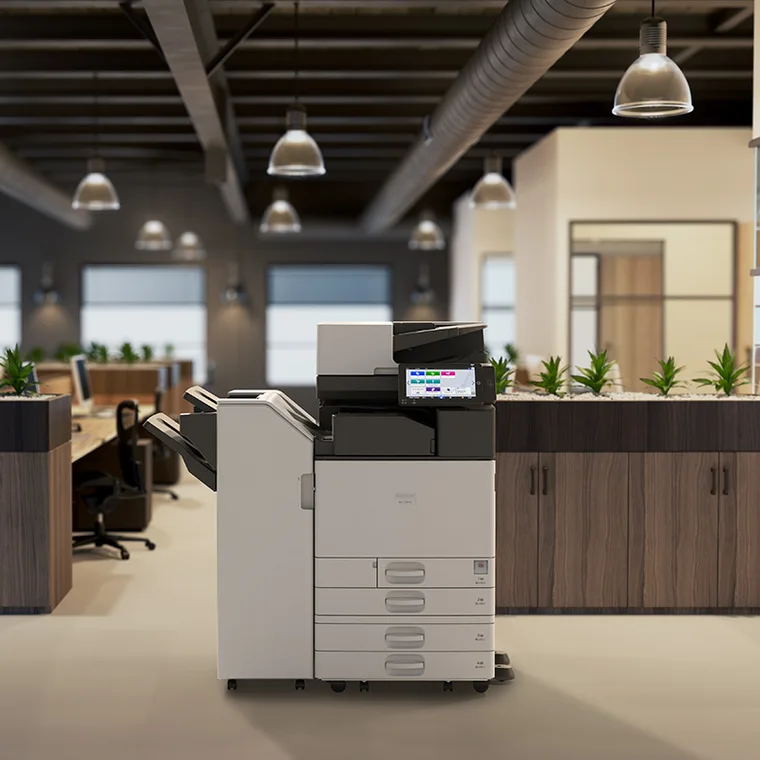
What a used unit costs and what to price separately
Copier Liquidation Center listed both MP models as used. The August 2024 IM C3510 proposal for Boyne City included a 1,000-sheet finisher and bridge unit. The commission chose the IM C4510 configuration. Ask for current offers with delivery and service for your ZIP. Boyne City commission minutes.
MP C3504
$1,950Request a quoteUsed asking price. Copier Liquidation Center.
180 ipm duplex · optional OCR Type M13. Ricoh specifications.
MP C3504ex
$2,295Request a quoteUsed asking price. Copier Liquidation Center.
180 ipm duplex · optional OCR Type M13. Ricoh specifications.
IM C3510
$5,215Request a quote2024 purchase proposal. Boyne City commission packet.
300 ipm duplex · optional OCR Type M52. Ricoh specifications.
Ask for a meter report, service history, the installed trays and finisher, and a price for inside delivery. Confirm whether the warranty covers both parts and labor where you use the machine. Bring two sheets of your largest stock to test feeding and output.
How much time does the faster scanner save?
A 220-sheet two-sided stack is 440 images. At rated scan speeds, that takes about 2 minutes 27 seconds on either MP model and 1 minute 28 seconds on the IM C3510. Ricoh specifies 180 ipm for the MP models at 200 or 300 dpi. Test the same settings and paper you normally use.
A two-sided sheet produces two images. All three feeders are rated for 220 sheets. Use a reload time you can reproduce.
Estimated time for 220 sheets
- MP C3504
- 2 min 27 sec
- MP C3504ex
- 2 min 27 sec
- IM C3510
- 1 min 28 sec
One feeder load. Measure OCR, upload and delivery to the folder separately.
Ask the dealer to finish the scan at its destination
- Check the OCR option on the actual copier. Ricoh lists Type M13 for the MP C3504 and C3504ex and Type M52 for the IM C3510. If you need searchable PDF from the panel, have the dealer show that you can find a known word in the output.
- Time the whole job with one sample stack. Scan a numbered two-sided batch from the panel to your approved shared folder. Time the job from Start until the PDF opens. Check page count, orientation and any feeder streaks.
- Test routine capture if you need it. For a workflow that processes files after they arrive, Paige Folder Monitor can pick up new files on a Windows machine that can read the share and send them to a capture job. Ademero operates CopierGuide. See the Folder Monitor setup.
Ask for the same setup on each offer
Share your ZIP and the batch you need the dealer to run. Get the model, condition, installed options, delivery, maintenance and OCR priced separately.